A family photo checklist for names, uniforms and backgrounds
A photo can be a lovely memory without being the right image for a public post. Decide which details you want to share, then make a separate copy that fits that audience. A metadata check and a careful look around the frame serve different purposes.
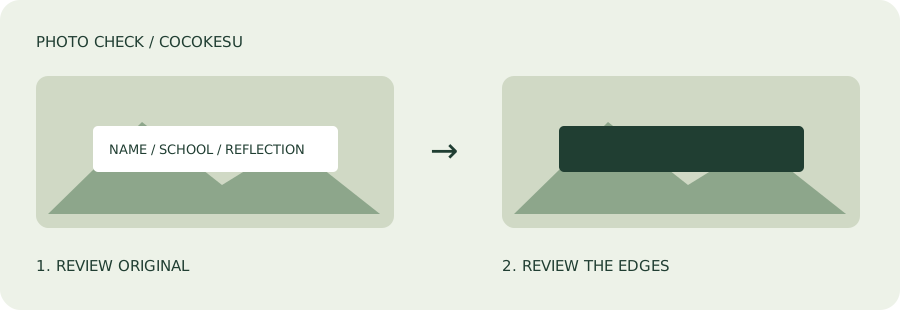
Start with the audience and the people pictured
Decide whether the photo is for a public feed, a small group or a family album. Ask the people pictured about sharing it, and take children's preferences seriously. The FTC's family guidance encourages conversations about online sharing. Editing is only one option: choosing another photo, limiting the audience or not posting may be a better fit for the situation.
Look beyond the face
Read name tags, badges and writing on bags. Check school emblems, notices, house signs, windows, vehicle plates and reflections. Small details at the edge of a group photo are easy to miss. Removing GPS metadata does not change any of these visible parts of the picture. Make your review specific to this photo rather than assuming that one hidden face solves every concern.
- Check names on clothing and belongings.
- Inspect signs, windows and reflective surfaces.
- Review the caption for school names, plans or routines.
Use manual opaque masking where needed
Select the photo in COCOKESU and review the metadata processing result. Open the manual masking editor and draw opaque areas over the details you do not want visible. The app does not automatically recognize faces or names. Leave enough margin around text, and inspect everyone in a group photo. Your original is not overwritten, so you can keep the memory separately from the sharing copy.
Check the appearance of the output
Masked images are saved as PNG and may take more storage. Unedited JPEG, PNG and WebP images in the recommended mode are not recompressed; orientation and ICC color information are retained. HEIC images are converted to JPEG or PNG and may look different in color, quality or HDR rendering. Open the output before sharing and check both the private areas and the parts you wanted to preserve.
Finish the check in the sharing screen
Select the processed copy and review who can receive it. The app cannot guarantee anonymity: the background, caption and information already shared elsewhere can still provide clues. Do not assume that every platform handles photo metadata in the same way. If you are unsure about a picture, leave it out. Use the free tool for the photos you have decided are appropriate to share.