Photo location metadata: GPS tags, visible clues and a sharing check
A photo's location can be suggested in more than one way. GPS tags belong to the file's additional information; a sign or building belongs to the visible image. Treating these as separate checks makes it easier to understand what a privacy tool can actually do.
A location display is not always a GPS tag
A camera may record a location in the file, while a photo service may show other location information. Google Photos explains these distinctions in its help pages. Changing a location display in a library is not necessarily the same action as processing an image file you plan to download and attach elsewhere. Check which file you will actually share.
Know what COCOKESU removes and retains
The app removes supported GPS, capture date, device and comment metadata, then inspects the output again. It reports categories without displaying precise coordinates. Orientation and ICC color information needed for presentation are retained. Custom text inside a color profile is not parsed, and a new file creation date assigned by your device is outside this check. These boundaries matter when deciding whether the result fits your needs.
Read 'not detected' carefully
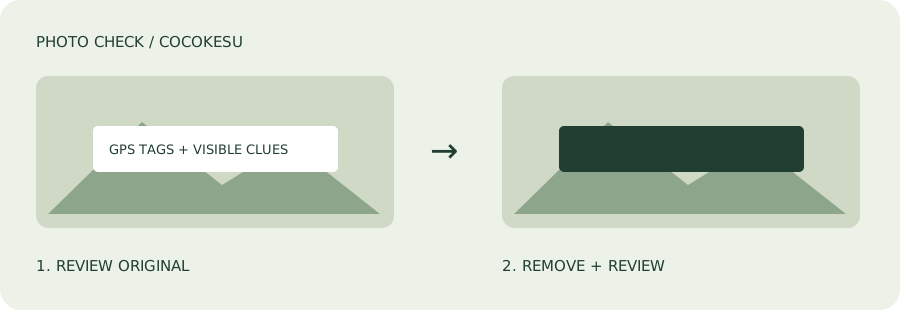
A GPS tag not being detected does not prove that every possible location reference is absent. A street sign or distinctive view can still be visible. Open the manual masking editor to cover details with opaque rectangles where necessary. This does not automatically identify a place or alter the rest of the background. Inspect the image yourself, including small details and reflections.
Choose the processing path that fits the format
For unedited JPEG, PNG and WebP files, the recommended mode keeps the compressed image content, orientation and ICC color information. Masking writes a PNG copy. HEIC processing converts the main image to JPEG or PNG on your device, and can change color, quality or HDR appearance. Your original file remains unchanged. Review the result rather than assuming that every input format has the same preservation guarantees.
Share the processed copy deliberately
Select the photo, review its processing result, inspect visible clues, and save a separate copy. Limits are 30 MB and 50 megapixels per file, 16,384 pixels per side, up to 20 files and 100 MB in total. Output inspection is useful but does not guarantee anonymity. Choose the processed file in the destination app and review the caption and audience too. The free tool is a preparation step, not a guarantee about another service's behavior.